Smart Living Made Simple: DIY Home Automation A Beginner’s Guide
Transforming your living space into a connected, intelligent environment is easier and more affordable than ever before. You do not need to be a computer engineer to enjoy the convenience of voice commands and automated security. If you are ready to modernise your house but don’t know where to start, this DIY home automation beginner’s guide will walk you through 12 essential steps to building a smarter home from the ground up.
1) Choose Your Central Ecosystem
Before buying gadgets, you must pick a team. The primary platforms are Amazon Alexa, Google Home, and Apple HomeKit. These serve as the “brain” of your operation, allowing different devices to communicate. Select the ecosystem that aligns with the technology you already use. If you are an Android user, Google Home is a natural fit. If you shop frequently on Amazon, Alexa offers vast compatibility. Sticking to one platform prevents compatibility headaches later.

2) Start Small with Smart Plugs
The most accessible entry point for beginners is the smart plug. These affordable adapters fit into standard outlets and allow you to control “dumb” appliances—like lamps, fans, or coffee makers—via your smartphone. For under $20, you can schedule your living room lamp to turn on at sunset or ensure your hair straightener is off after you leave for work. It is an immediate, low-risk upgrade.

3) Upgrade to Smart Lighting
Lighting sets the mood of your home. You can start by replacing standard bulbs with Wi-Fi-enabled LED bulbs from brands like Philips Hue, Wyze, or Sengled. These bulbs allow you to dim lights, change colours, and set schedules without installing dimmer switches. For rooms with many recessed lights, consider replacing the wall switch instead of individual bulbs for a more cost-effective solution.

4) Add a Voice Assistant Speaker
While you can control devices with your phone, voice control is the hallmark of a true smart home. Smart speakers like the Amazon Echo Dot or Google Nest Mini act as the ears of your system. Placing these affordable speakers in central locations allows you to issue commands hands-free, such as “turn off the kitchen lights” or “set a timer for 10 minutes” while your hands are full.

5) Install a Video Doorbell
A video doorbell is often the first dedicated smart device homeowners purchase. It provides security and convenience by letting you see and speak to visitors from your phone, whether you are in the backyard or across the country. Look for models that integrate with your chosen ecosystem (e.g., Ring for Alexa, Nest for Google) so the video feed can automatically appear on your smart displays.

6) Optimise Climate with a Smart Thermostat
Smart thermostats are one of the few automation devices that pay for themselves. They learn your schedule and adjust the temperature automatically to save energy when you are away. Installation is generally a simple DIY project involving low-voltage wiring. Check with your local utility provider before buying, as many offer rebates that cover a significant portion of the cost.

7) Secure Your Entry with Smart Locks
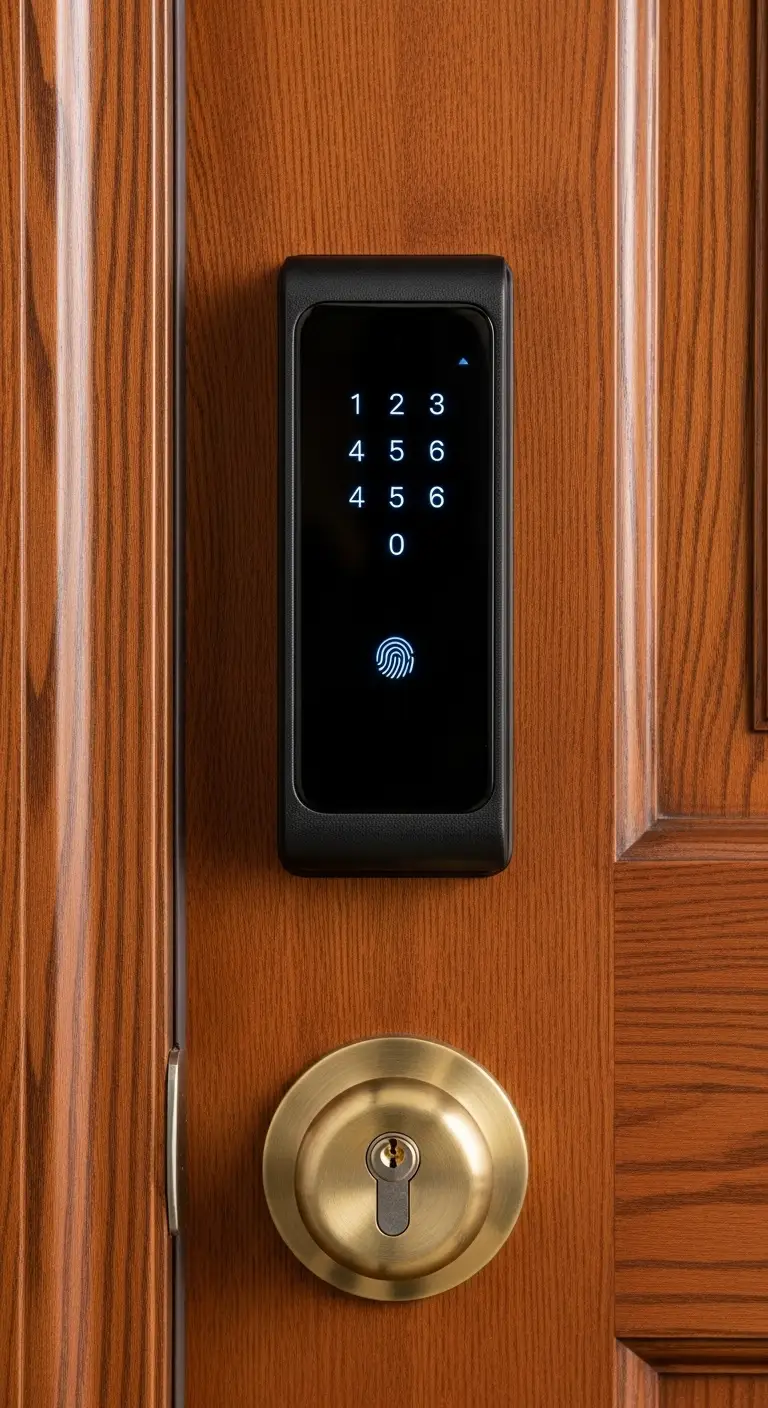
Fumbling for keys with hands full of groceries is a thing of the past with smart locks. These devices allow you to unlock your door via a keypad, fingerprint scanner, or geofencing on your phone. They also allow you to grant temporary digital “keys” to dog walkers or guests, giving you total control over who enters your home and when.

8) Set Up Indoor Security Cameras
For peace of mind, indoor cameras allow you to monitor your home remotely. Modern cameras are compact, affordable, and offer features like two-way audio and night vision. Place them in high-traffic areas or near entry points. Many budget-friendly options now include local storage via SD cards, allowing you to avoid monthly cloud subscription fees.

9) Create Automated “Routines”
The real magic of home automation happens in the software. Most ecosystems allow you to create “Routines” or “Automations.” This triggers multiple devices with a single command. For example, saying “Goodnight” could simultaneously lock the doors, turn off all lights, and lower the thermostat. This maximises the efficiency of your system without requiring extra hardware.

10) Utilise Motion Sensors
Motion sensors add a layer of hands-free luxury. Placing a small, battery-operated sensor in a hallway, bathroom, or laundry room can trigger lights to turn on when you walk in and off when you leave. This is particularly useful for late-night trips to the kitchen, ensuring you have light where you need it without fumbling for switches in the dark.

11) Upgrade Your Wi-Fi Network
As you add more devices, your standard ISP router may struggle to handle the traffic. A congested network leads to lagging cameras and unresponsive lights. Investing in a Mesh Wi-Fi system ensures strong, consistent internet coverage in every corner of your house, which is critical for a reliable smart home experience.

12) Explore Smart Window Treatments
While often considered a luxury, smart blinds have become more accessible. Motorised retrofit kits can be added to existing blinds, allowing you to open or close them via voice command or schedule. Automating your shades helps regulate your home’s temperature by blocking out the harsh midday sun, further enhancing your energy efficiency.

Conclusion
Building a connected home is a journey, not a sprint. By following this DIY home automation beginner’s guide, you can start with affordable, high-impact devices like plugs and bulbs before moving on to advanced security and climate control. Focus on compatibility and gradual expansion to create a system that truly simplifies your daily life.